Affiliate Disclosure: This article contains affiliate links. If you buy through these links, we may earn a commission at no extra cost to you.
NAS vs Mini PC 2026: Which Home Server Should You Buy?
TL;DR: If your priority is safely storing, backing up and sharing photos, videos and documents across every device in the house, buy a NAS — it is the most straightforward home server you can own. If you need serious processing power for Plex transcoding, virtual machines or local AI experiments, a Mini PC delivers far more computing muscle per ringgit. And if you can stretch the budget, plenty of Malaysians end up pairing both: a NAS as the always-on storage layer and a Mini PC for the heavy lifting.
NAS vs Mini PC: What’s the Difference?
The “NAS vs Mini PC” question comes up in every Malaysian home-server forum thread, and it deserves a real answer — because these two boxes solve different problems even though they now cost about the same.
What Is a NAS?
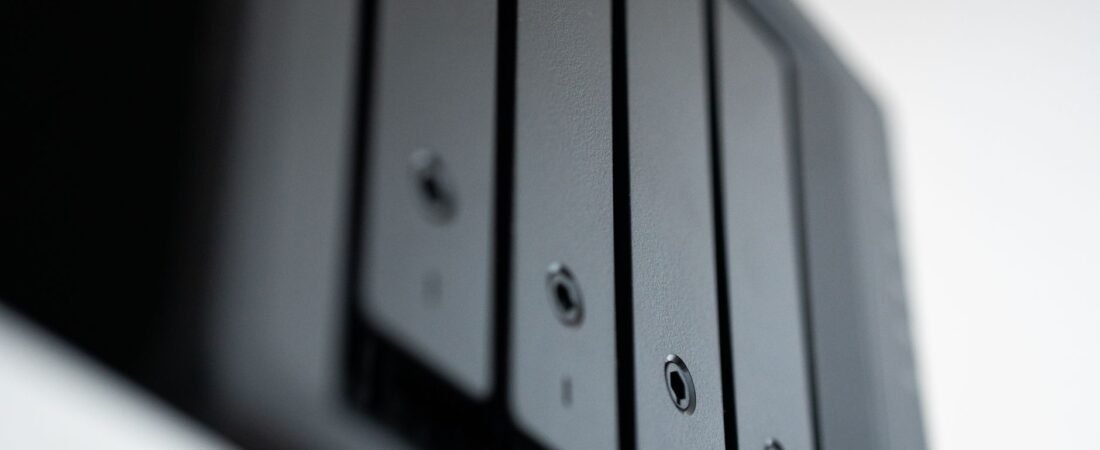
A NAS (Network Attached Storage) is a dedicated, storage-first appliance that connects to your router and provides centralised file storage for every device on your network. Think of it as your own private cloud: a single place to keep family photos, videos, documents and backups that your laptop, phone, smart TV and tablet can all reach.
The hardware is built around drive bays — usually two or four — that take large 3.5-inch hard disks, with RAID redundancy to survive a drive dying. The software is a specialised storage operating system such as Synology’s DSM or UGREEN’s UGOS Pro, designed so that a non-technical person can set up shared folders, automated backups and remote access in an afternoon. Modern NAS units also run apps: photo backup, Plex or Jellyfin media servers, Docker containers and even lightweight virtual machines. But the design priority is always the same: data safety, quiet 24/7 operation and low power draw.
What Is a Mini PC?
A Mini PC is a compact, general-purpose computer — a desktop PC squeezed into a box smaller than a hardcover book. It has a standard processor (Intel N100 in budget models, up to Ryzen 7 or Core Ultra in fast ones), user-upgradeable RAM and an M.2 SSD, plus HDMI or DisplayPort outputs so it can drive a monitor. It runs a standard operating system: Windows 11, Linux or a hypervisor like Proxmox.
Where a NAS is storage-first, a Mini PC is compute-first. It is a genuine computer that happens to be small and power-efficient, which makes it attractive as a low-cost desktop, a home-lab host or a media server. Storage is not its strength: most Mini PCs have one or two M.2 SSD slots and no room for big spinning hard disks, which is the single biggest difference between the two.
The Line Is Blurring in 2026
It is worth knowing that the two categories are slowly merging. A wave of “NAS Mini PCs” now exists — boxes like the Beelink ME Mini with six M.2 NVMe slots, or the multi-bay x86 units from Aoostar, Topton and CWWK with open BIOSes that let you install TrueNAS or Unraid and turn them into full NAS appliances. If you are comfortable with a bit of DIY, these are superb value. But for most households, the decision is still between a purpose-built NAS appliance and a general-purpose Mini PC — and the choice comes down to what you value more: storage or computing power.
NAS vs Mini PC: Head-to-Head Comparison
| Feature | NAS | Mini PC |
|---|---|---|
| Primary purpose | Storage-first: file sharing, backups, data management | Compute-first: running apps, VMs, processing |
| Storage expansion | Excellent — 2–8 drive bays, large HDDs, RAID redundancy | Limited — usually 1–2 internal M.2 SSD slots |
| Maximum capacity (typical) | 8–80 TB+ with multiple HDDs | 1–8 TB with NVMe SSDs |
| Processing power | Modest — low-power CPUs that sip electricity | Powerful — modern CPUs, more RAM, iGPU for transcoding |
| RAM (typical) | 2–8 GB, some expandable to 64 GB | 16–64 GB, nearly always upgradeable |
| Operating system | Specialised storage OS (DSM, UGOS Pro), app store, easy setup | Standard OS (Windows/Linux), flexible but manual setup |
| Data protection | RAID + automated backups built in | None by default — you must set it up yourself |
| Idle power draw | ~10–20 W (2-bay with drives) | ~6–15 W (N100 ~6–10 W, Ryzen ~10–15 W) |
| Noise | Near-silent, fan rarely spins | Quiet at idle, can get loud under load |
| Plex / media | Runs it, but transcoding power varies | Strong — Quick Sync or Radeon iGPU handles 4K |
| Local AI / VMs | Weak (some Docker only) | Excellent — NPU-equipped models run local LLMs |
| Typical cost (Malaysia, diskless) | RM1,100 – RM3,500 | RM800 – RM3,500 |
| Best for | Storing, backing up and sharing data | Running apps, VMs and processing tasks |
Why Buy a NAS? The Storage-First Benefits
If your household generates lots of data — phone photos of the kids, drone footage, a growing movie library, work documents — a NAS earns its keep in six concrete ways:
- Centralised storage. Files live in one place and are reachable from any device on the network: laptop, phone, TV and tablet. No more “which device is that file on?” arguments.
- Data protection. RAID redundancy plus automated backups mean a single dead hard disk does not cost you your photos. The NAS keeps working and you simply swap in a replacement drive. This is the #1 reason people buy one.
- Always on, always quiet. A 2-bay NAS idles at roughly 10–20 W — comparable to a Mini PC — with a fan that barely spins, so it can sit on a shelf for years.
- Cross-platform sharing. Windows, macOS, Android, iOS and Linux all talk to a NAS over standard protocols (SMB, NFS, WebDAV). Nothing to install on the client side.
- Scalability. Start with two drives, add more or swap in larger ones as your photo library grows. A 4-bay unit bought today can carry you for a decade.
- Remote access. Synology’s QuickConnect and similar services let you reach your files from anywhere with internet — handy when you are travelling and need a document, or when you want to grab a photo taken on holiday. Works fine on Unifi and other Malaysian fibre plans.
A NAS also quietly replaces paid cloud subscriptions. Synology Photos or UGREEN’s photo app gives you Google Photos-style automatic phone backup without the monthly fee or the privacy trade-off — something that matters more as cloud storage prices keep creeping up.
Why Buy a Mini PC? The Compute-First Benefits
A Mini PC is the better buy when your “home server” is really about running things rather than storing things:
- Real processing power. Modern Mini PCs with Ryzen 7 8845HS-class chips or Intel Core Ultra CPUs outclass NAS processors by a wide margin. Plex or Jellyfin hardware transcoding, multiple concurrent streams and video encoding are all comfortable.
- Virtual machines and containers. With 32–64 GB of RAM, a Mini PC running Proxmox happily hosts a media server, Home Assistant, Pi-hole, a game server and a dozen Docker containers simultaneously. Most NAS units struggle past a handful of containers.
- Local AI experiments. 2025–2026 Mini PCs ship with NPUs and fast iGPUs, so running small local LLMs and image models is genuinely practical — something no mainstream NAS can do.
- It is also a full computer. Plug in a monitor and it replaces a desktop PC for office work, browsing or light gaming. A NAS cannot do that.
- Cheap entry point. Intel N100 Mini PCs cost from around RM800–1,300 in Malaysia, which undercuts every 2-bay NAS enclosure on the market.
- DIY NAS potential. Install TrueNAS or Unraid on it, bolt on a USB DAS enclosure with a couple of drives, and you have a credible DIY NAS — at the cost of fiddly setup and no polished storage OS.
The honest trade-offs: internal storage is limited to M.2 SSDs, there is no hardware RAID, and unless you build your own backup scheme (which most people never get around to), a Mini PC with a dead SSD loses everything. Data safety is entirely on you.
Malaysia Price Guide: What RM1,000–RM3,500 Buys in 2026
Prices below are approximate street prices for diskless units seen on Shopee, Lazada, Lelong and local IT retailers in Malaysia in late 2026 — always check current listings, as promo seasons shift them by 10–20%. Remember that NAS prices exclude hard disks.
| Budget | NAS options (diskless) | Mini PC options |
|---|---|---|
| Under RM1,500 | Synology DS223J 2-bay (~RM1,100–1,450); UGREEN NASync DXP2800 2-bay (~RM1,400–1,700 est.) | Intel N100/N150 boxes: Beelink EQ13, GMKtec NucBox K9, Minisforum UN100 (~RM800–1,300, 16 GB/500 GB) |
| RM1,500 – RM3,000 | Synology DS224+ 2-bay (~RM1,680–1,850); UGREEN NASync DXP4800 4-bay (~RM2,100–2,300) | Beelink EQR6 Ryzen 5 (~RM2,000–2,300); Beelink SER8 Ryzen 7 8845HS 32 GB/1 TB (~RM2,500–3,200) |
| RM3,000+ | Synology DS923+ 4-bay (~RM3,050–3,500); UGREEN NASync DXP4800 Plus 4-bay with 10GbE (~RM2,750 promo, usually higher) | Apple Mac mini M4 (from ~RM2,300, 16 GB); GMKtec NucBox K8 Plus (~RM2,900–3,300); Minisforum MS-01 homelab special (~RM3,500+) |
Three Malaysia-specific notes before you buy:
- Budget for drives. NAS hard disks are the hidden cost. A 4 TB NAS drive (Seagate IronWolf or WD Red Plus) runs roughly RM450–600, an 8 TB around RM850–1,000. A 2-bay DS224+ with two 4 TB drives in RAID 1 ends up costing close to RM2,800 all-in — about the same as a full-spec Ryzen Mini PC. Factor this in before you compare price tags.
- Check warranty coverage. Synology units sold by Malaysian distributors carry a 2-year local warranty (extendable), and UGREEN runs official Shopee/Lazada stores. Chinese-brand Mini PCs range from proper local warranty to none at all on grey imports — pay the small premium for units warrantied in Malaysia, and buy from the brand’s official store or a reputable local retailer like Viewnet, Ideal Tech or Thundermatch.
- Electricity is a rounding error. At TNB residential rates, a 2-bay NAS drawing ~20 W costs about RM3–4 a month; a 4-bay unit with four drives at ~40 W is roughly RM8–10 a month. A Mini PC idling at 10–15 W sits in between. Power consumption should not decide this purchase — reliability and storage should.
NAS or Mini PC: Which Should You Choose?
Work through these two lists honestly and the answer usually appears by itself.
Choose a NAS if:
- Your primary need is storing, backing up and sharing large amounts of data — photos, videos, documents — with several people.
- You want set-and-forget data safety (RAID, automated backups) without becoming a system administrator.
- You want an always-on box that is quiet, low-power and runs for years untouched.
- You like the idea of replacing Google Photos or Dropbox with your own private cloud.
- You are not a tinkerer and just want it to work.
Choose a Mini PC if:
- You need real processing power: 4K Plex transcoding, multiple VMs, Docker stacks, Home Assistant.
- You want to experiment with local AI, or run game servers and other CPU-hungry services.
- You want a machine that doubles as a spare desktop computer.
- You are comfortable configuring your own OS, security and backup routines.
- Your storage needs are modest (a few TB of SSD) or you already own a separate NAS or cloud storage.
If you ticked boxes on both lists — and many people do — that is not indecision; it is the signal to read the next section.
The Best of Both Worlds: NAS Plus Mini PC
The cleanest home-server setup in 2026 is not NAS or Mini PC — it is both, each doing the job it is built for.
The NAS acts as the stable storage layer: all family photos, documents and media live on it, protected by RAID and automated backups, served to every device 24/7. The Mini PC handles the compute: it runs Plex or Jellyfin (reading the media library straight from the NAS over your network), hosts Proxmox VMs, Home Assistant, local AI models and anything else that needs horsepower. If the Mini PC dies or you want to upgrade it, your data is untouched on the NAS; if a NAS drive fails, RAID rebuilds while the Mini PC keeps running.
A sensible Malaysian starter version: a 2-bay Synology DS224+ or UGREEN DXP4800 with two drives for the family’s data (RM2,500–3,000 all-in) plus an N100 or Ryzen Mini PC from RM1,200 for Plex and tinkering. Total spend is comparable to a single premium 4-bay NAS — and you end up with more storage, far more computing power and a cleaner separation between your data and your experiments.
NAS vs Mini PC: FAQ
Can a Mini PC fully replace a NAS?
Yes, technically — install TrueNAS or Unraid, add an external DAS enclosure or a NAS-mini-PC with drive bays, and you get NAS features with more CPU power. The cost is setup effort: you configure RAID, shares, backups and updates yourself, with no polished app store and no hand-holding when something breaks. If you enjoy that, it is great value; if not, buy the appliance.
Is a NAS worth it just for backing up phone photos?
For most families, yes. Automatic photo backup to your own disks, viewable from any device, replaces a Google Photos subscription and removes the “my cloud is full” panic every few months. A 2-bay NAS with two drives in RAID 1 protects you against both drive failure and accidental deletion.
Which is better for Plex — a NAS or a Mini PC?
It depends on whether you need transcoding. A Mini PC with Intel Quick Sync or a Radeon iGPU breezes through 4K transcodes and multiple simultaneous streams. Among NAS units, pick an x86 model with Quick Sync — UGREEN’s Intel N100-based DXP2800 or DXP4800 line handles 4K transcoding that similarly priced Synology 2-bay units struggle with. If your TV and apps direct-play everything, even a modest NAS is fine.
Can a NAS run Windows programs or act as a normal PC?
Mostly no. A NAS runs its own storage OS and is designed to be managed from a browser, not used as a desktop. Some x86 models support virtual machines or Docker containers, so you can run lightweight Linux apps, but if you need Windows or heavy desktop software, that is Mini PC territory.
How much will a home server add to my electricity bill?
Very little. At Malaysian TNB residential rates, a 2-bay NAS or an N100 Mini PC running 24/7 adds roughly RM3–6 per month; a loaded 4-bay NAS with four hard disks is more like RM8–12. Both are far cheaper to run than a traditional desktop PC left on.
Conclusion
The NAS vs Mini PC decision is really a storage-versus-compute decision. A NAS excels at safely storing and sharing data — it is the most straightforward home server for the average Malaysian household, protecting years of photos and documents with RAID and automated backups. A Mini PC shines at running applications and processing — transcoding, VMs and local AI — at a price that keeps dropping. Choose the NAS if your data outgrows your devices; choose the Mini PC if your ambitions outgrow your data; and if you can afford both, run them together and enjoy the best of both worlds.
More from ZFRBuild
- Why Your Phone Storage Keeps Filling Up Even When You Delete Photos
- Malaysia’s Top 10 High-Value CCTV Recommendations for 2026
- How to use CCTV to enhance home safety: AI CCTV monitoring
Related Article
- How long does food take to digest? Bedtime eating explained — How long does food take to digest — and should you eat before bed? Digestion timings, reflux risks and gentle snack ideas for better sleep.
- September 16 Malaysia Day: Holiday Guide for Malaysians — Learn about Malaysia Day 2026: history, events, and tips.
- LG smart TVs caught logging audio with the screen off — An investigation shows LG smart TVs log audio in standby and scan home networks; here is what to do about it.
- November 8 Diwali: The holiday every Malaysian should know — Discover why November 8, 2026 is Diwali in Malaysia, its significance, celebrations, and what Malaysians should know about this regional public holida
- Texas judge rules TikTok misled users on child safety — A Texas judge ruled TikTok misled users about child-safety filters and Restricted Mode. The ruling, what happens next, and what it means in Malaysia.